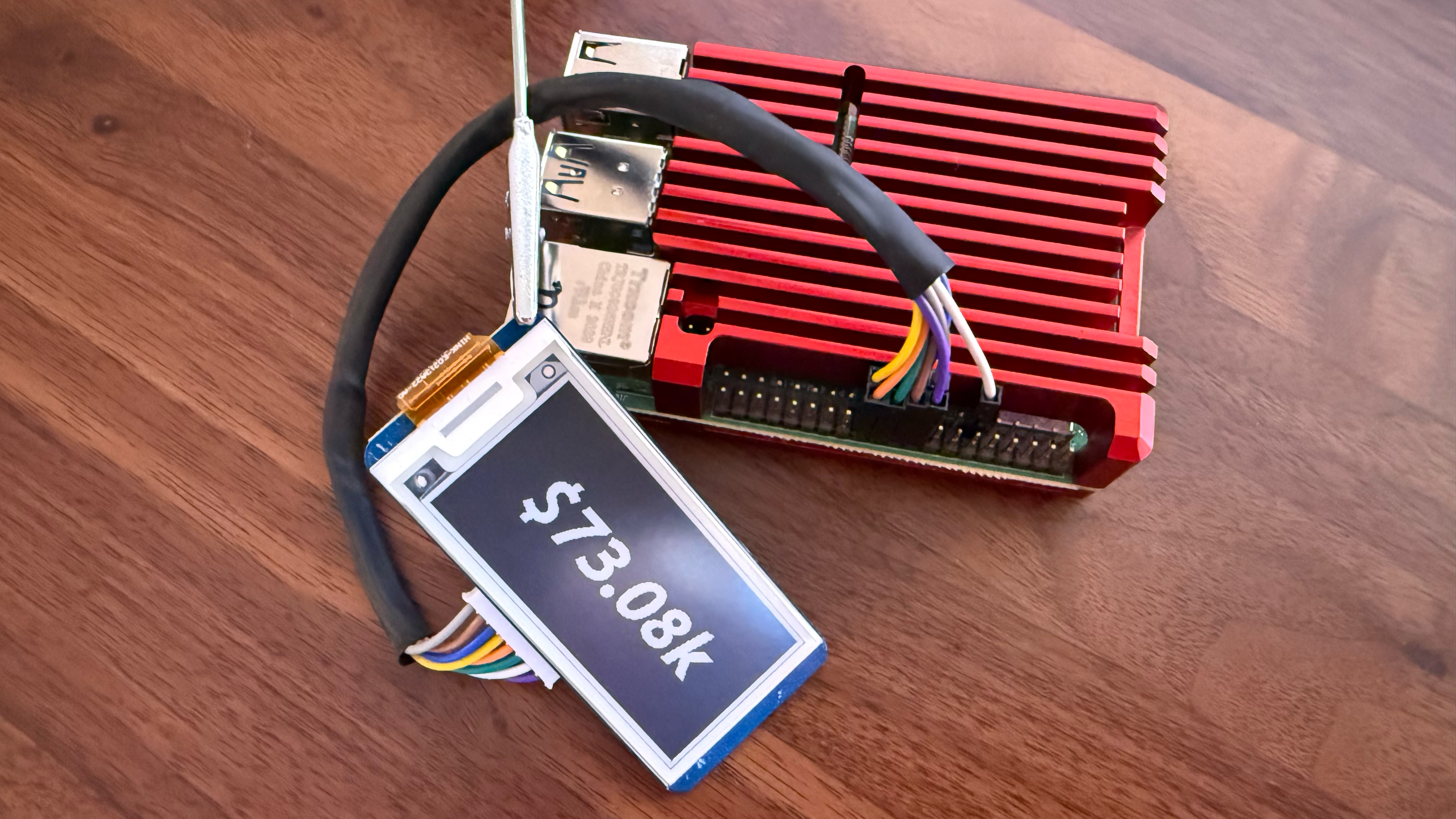
Raspberry Pi 4 with the Waveshare 2.13" display showing the live BTC price
In this guide, you'll learn how to wire a Waveshare 2.13" e-paper display to your Raspberry Pi and run the BTC Ticker software so it shows the live Bitcoin price.
epd2in13) with 8-pin HAT connector or loose wire harness — $14.99 on waveshare.com
Raspberry Pi 4 with the Waveshare 2.13" display showing the live BTC price
The e-ink display communicates over the SPI bus, which is disabled by default. Enable it with
raspi-config:
sudo raspi-config
Navigate to Interface Options → SPI → Yes, then reboot:
sudo reboot
The display has 8 pins. Connect them to the Pi's 40-pin header as follows. Use either the physical pin numbers or the GPIO labels — but don't mix them. The full reference is in the Waveshare wiki.
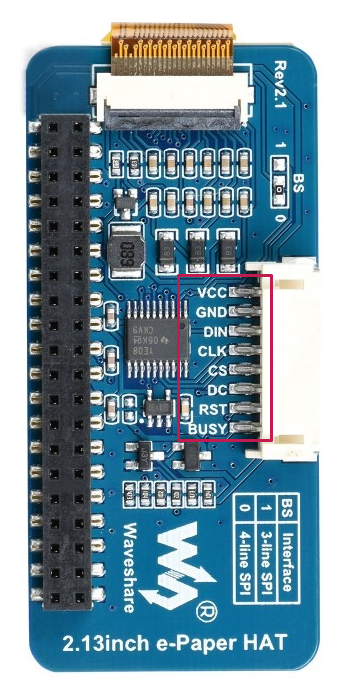
Pin labels printed on the back of the display
| Display pin | Physical pin | GPIO / function |
|---|---|---|
| VCC | Pin 17 | 3.3 V power |
| GND | Pin 20 | Ground |
| DIN | Pin 19 | GPIO 10 / MOSI |
| CLK | Pin 23 | GPIO 11 / SCLK |
| CS | Pin 24 | GPIO 8 / CE0 |
| DC | Pin 22 | GPIO 25 |
| RST | Pin 11 | GPIO 17 |
| BUSY | Pin 18 | GPIO 24 |
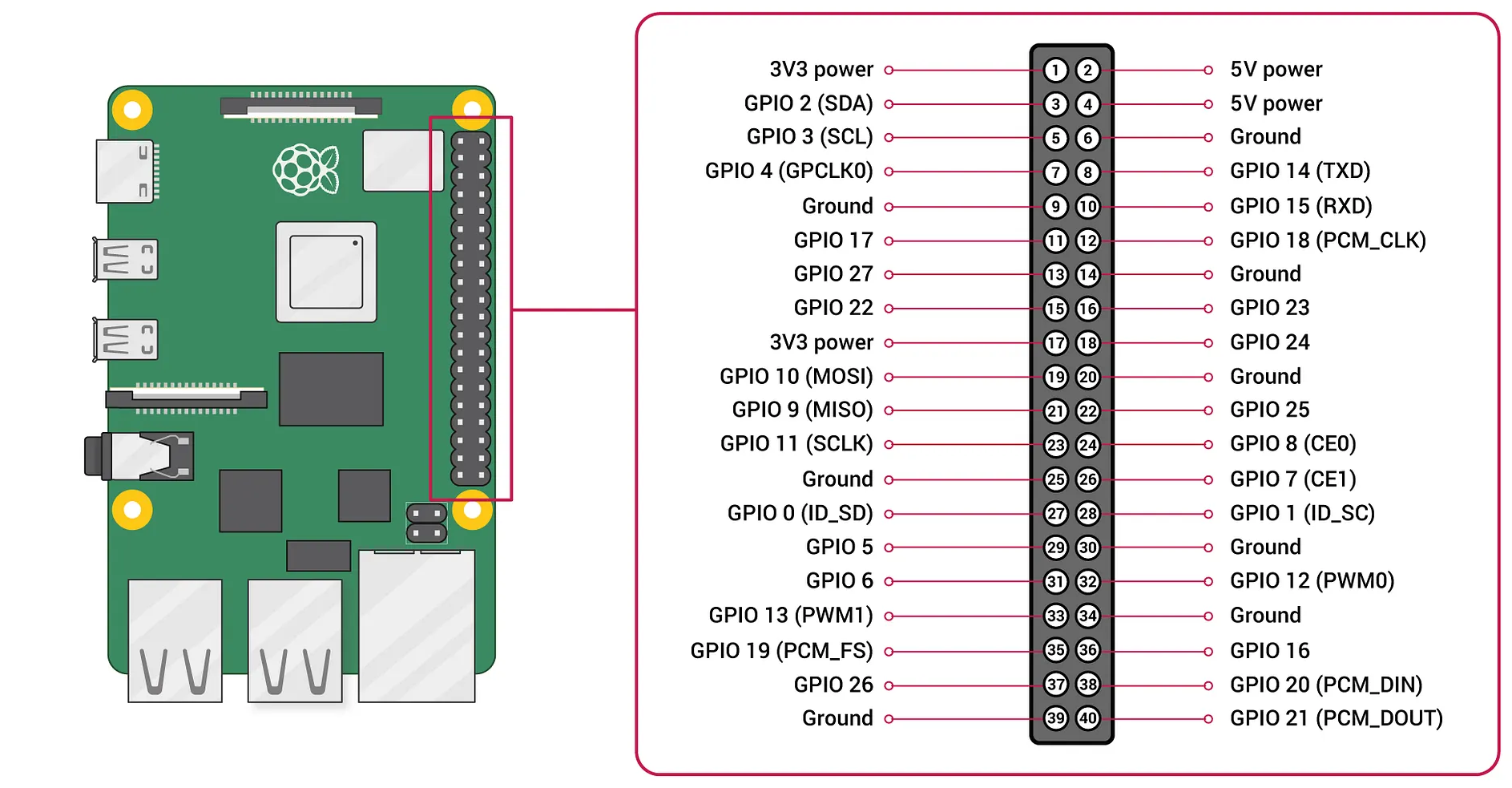
Raspberry Pi 40-pin GPIO header — raspberrypi.com
Tip: after connecting, most pins cluster between physical pins 17–24, with the RST wire reaching back to pin 11. Double-check that pin before powering on.
On your Raspberry Pi, clone the repository and install the package into a virtual environment:
git clone https://github.com/janrothen/btc-ticker
cd btc-ticker
python3 -m venv .venv
source .venv/bin/activate
pip install -e ".[rpi]"
With the virtual environment active, start the ticker:
python3 -m btcticker
The display will show the Bitcoin logo on startup, then begin refreshing the price every 5 minutes. Press Ctrl+C to stop.
A ready-made service unit is included in the repository. Install it so the ticker starts automatically whenever the Pi boots:
sudo cp deploy/systemd/btcticker.service /etc/systemd/system/
sudo systemctl daemon-reload
sudo systemctl enable btcticker
sudo systemctl start btcticker
Check that it is running:
sudo systemctl status btcticker
Full installation instructions are in
deploy/systemd/README.md.